A spark···········↗Your story
Borrow a trip that really happened
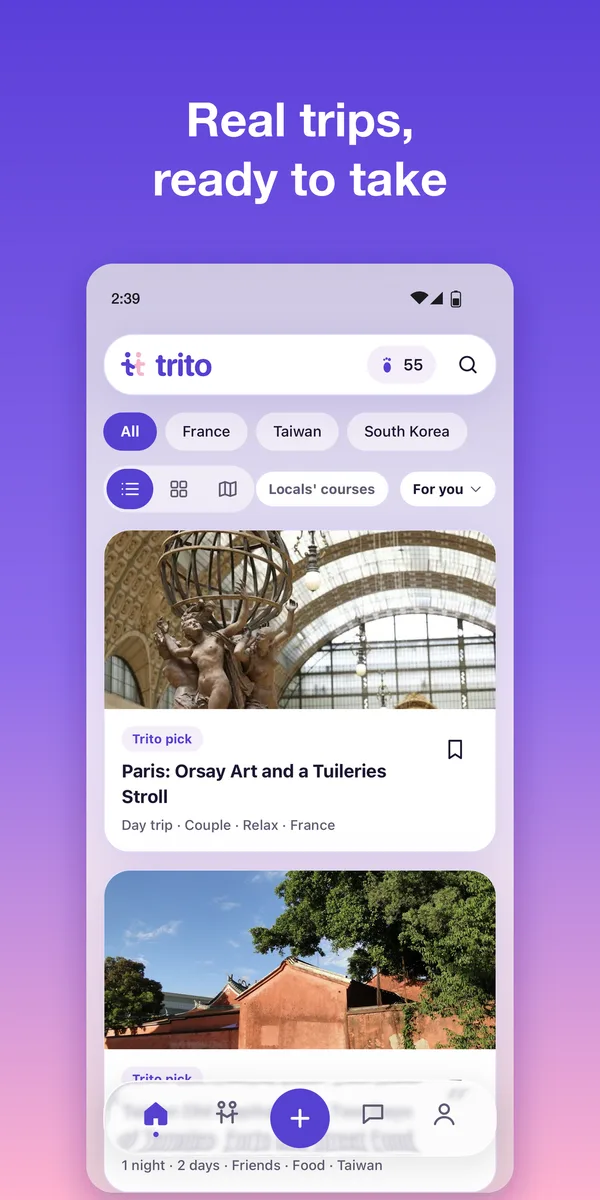
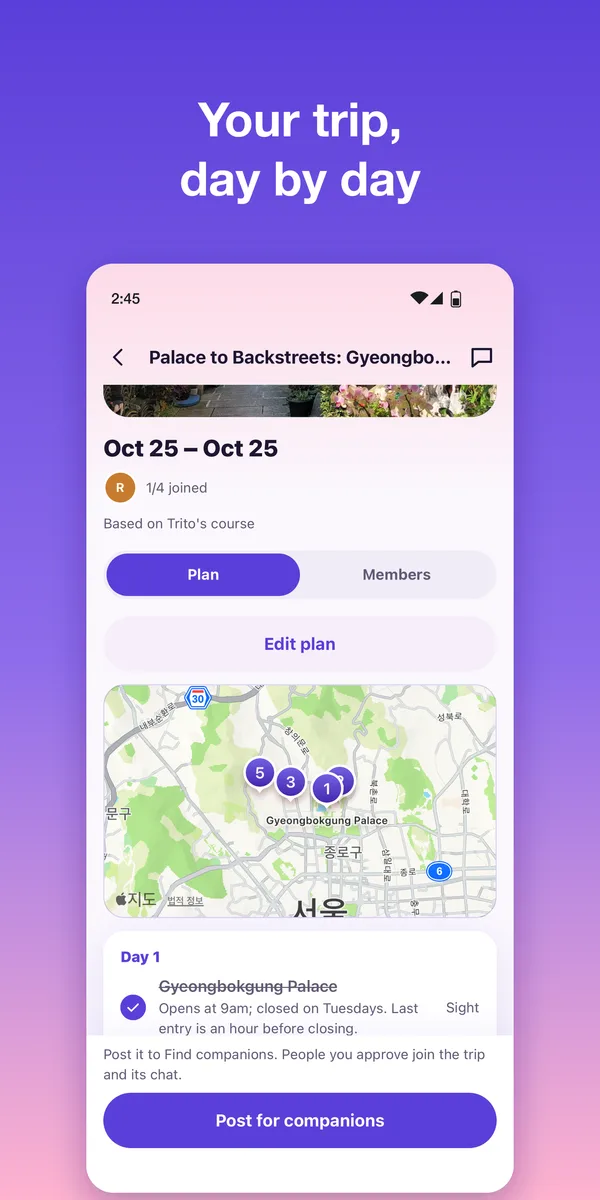
Day-by-day courses on a map, with a photo and one honest tip per stop. Take the whole course as your own trip.
 trito
Follow a spark of inspiration. Make a journey your own. Find a little of the world—and someone to share it with.
Explore what you can do ↗A small journey. Entirely yours.
Quiet lanes. A warm cup of tea. A little space between the plans.
Borrow a trip that really happened. Find companions, ask a local, and watch your travel map grow.
Day-by-day courses on a map, with a photo and one honest tip per stop. Take the whole course as your own trip.
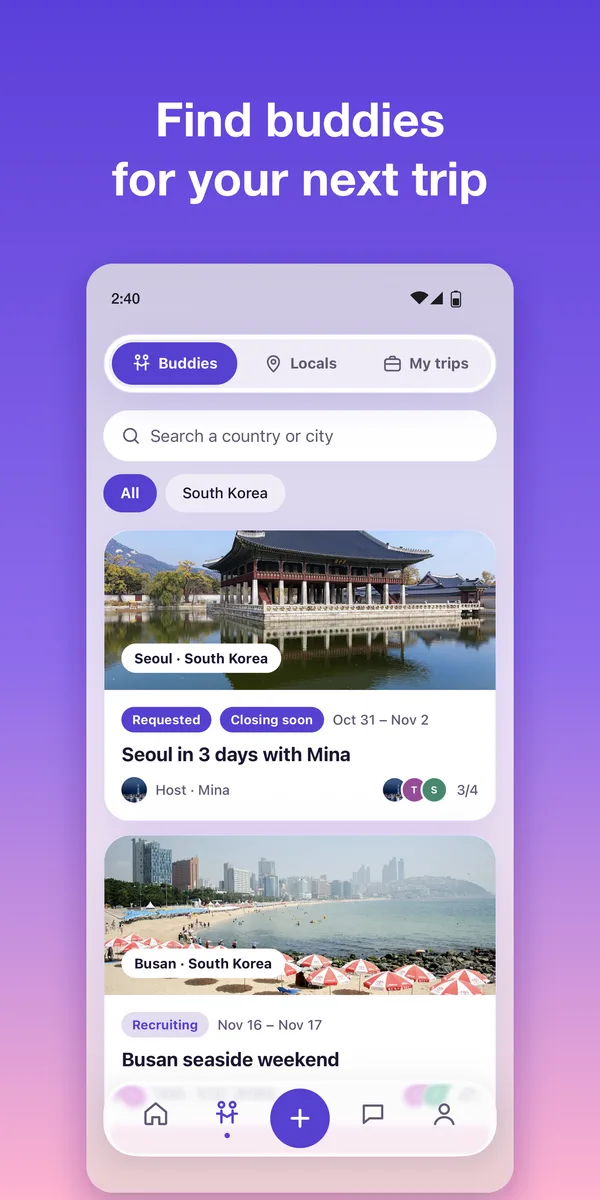
Post a trip and let others ask to join. Once the host approves, the group chat opens.
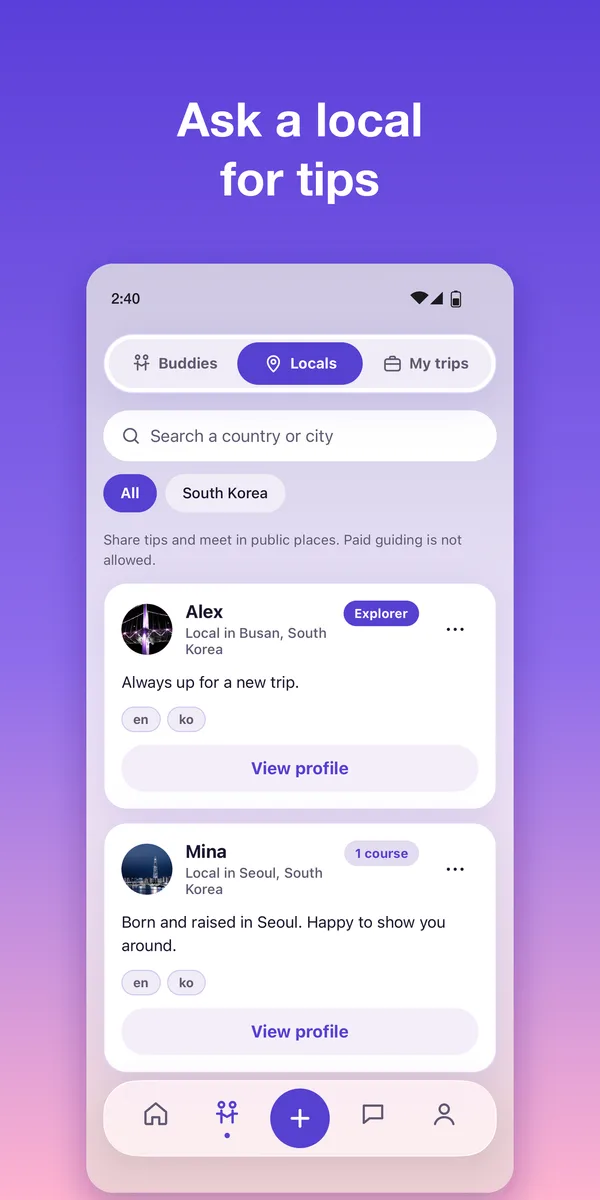
Meet locals who open their profiles to travelers. Travel tips only, never paid guiding.
 Map: Victor Cazanave · CC BY 4.0
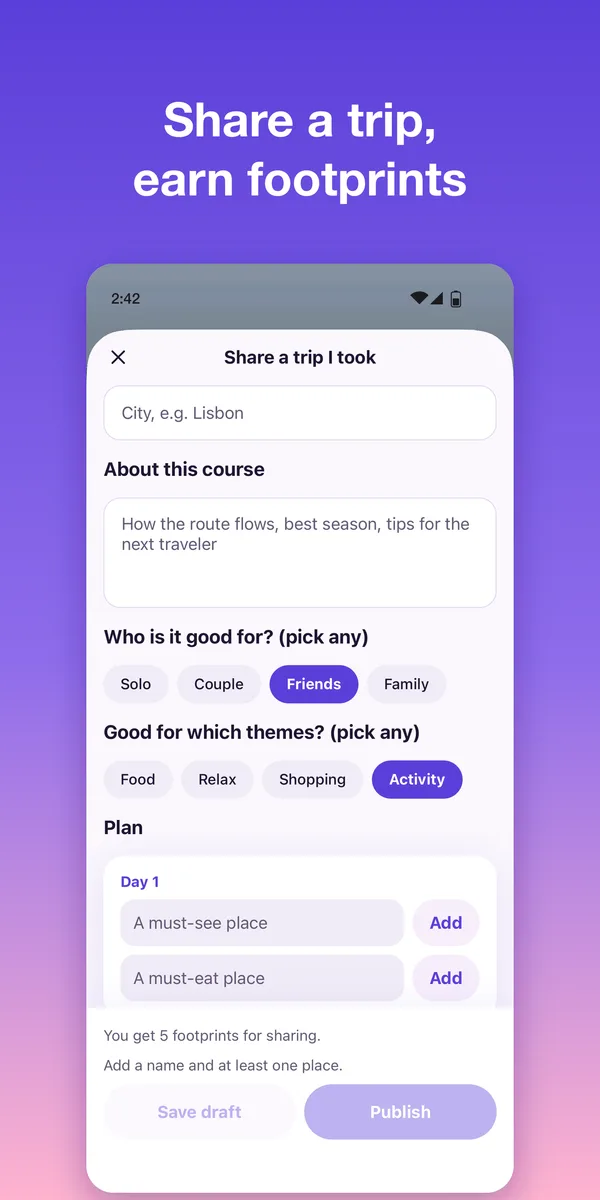
Stamp the countries you’ve visited. Share a past trip to earn footprints: in-app points with no cash value.
Two ways to connect in Together. Join a trip with fellow travelers, or send a question to a local.
Take courses, meet companions and locals, and keep your travel history. See all five menus at a glance.
Illustrated examples with sample data; these are not app screenshots.
Japan · 2-day course
Browse shared courses, explore a destination, and open a journey that catches your eye.
Travel as a pair · Group trips
Find one companion for a trip for two, or join a group of travelers. Check the destination, dates, and available places before requesting to join. Locals and My trips live here too.
Past trip · Kyoto
Use the center + button to share a trip you took or post an upcoming trip and invite companions.
Sample conversation · 3 travelers
Start a one-to-one conversation with the author of a course you took, a local open to travelers, or a member of the same trip. Your first message goes to their requests; you can send one message until they accept. Plan together in your trip’s group chat.
3 countries visited
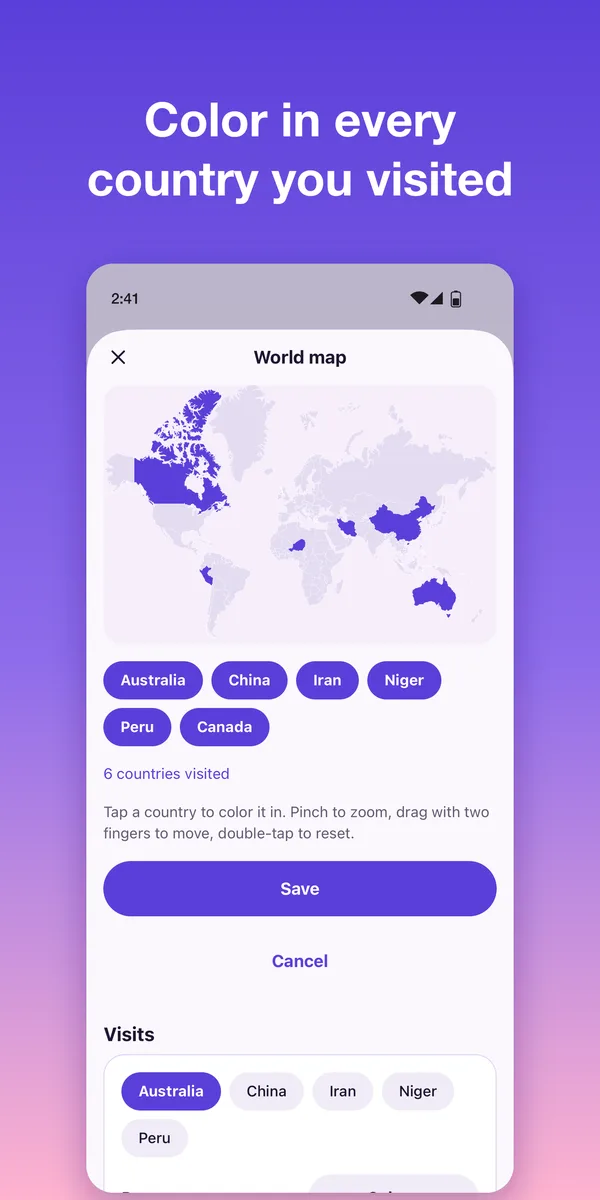
Map: Victor Cazanave · CC BY 4.0 · TRITO colorsColor the countries you have visited and manage your visited list. Find past trips, your shared courses, and saved courses together in Me.
Four things you can do, step by step.
From inspiration to your next trip.
Open Home and choose a course you like. Read the route before bringing it into your plans.
Tap Take this course. Pick your start date and check the footprint cost before confirming.
Open your trip in Together → My trips. Review the places and adjust the itinerary to fit your journey.
For a trip for two or a group adventure.
Open Together → Companions and find a trip for your destination and dates. Check whether it is for two travelers or a larger group.
Read the trip details and send a request to join. Check the request terms shown in the app.
Once the host approves, join the trip’s group chat and agree on meeting places and plans with your fellow travelers.
A conversation with someone who lives there.
Open Together → Locals and browse profiles at your destination.
Tap Ask on a profile. Introduce yourself and write your question. Check the footprint cost and request terms before sending.
You can send one request message while waiting. Once accepted, continue the conversation in Chat.
Leave a little inspiration for the next traveler.
Choose a trip you took or an upcoming trip.
Add a cover, a title, and places for each day. For an upcoming trip, set the start date and choose whether to recruit companions.
Check the details and publish your course. You can find your shared courses in Me.
The places you have been, in your own world map.
Find the world map in Me and tap Edit map.
Tap the countries you have visited, then save. Tap a selected country again to remove it.
See your visited count, past trips, shared courses, and saved courses in Me.
Swipe or use the arrow keys to explore all six screens.
A new way to wander is on its way. We’re getting TRITO ready for your next chapter.
Free · No in-app purchases · 18+